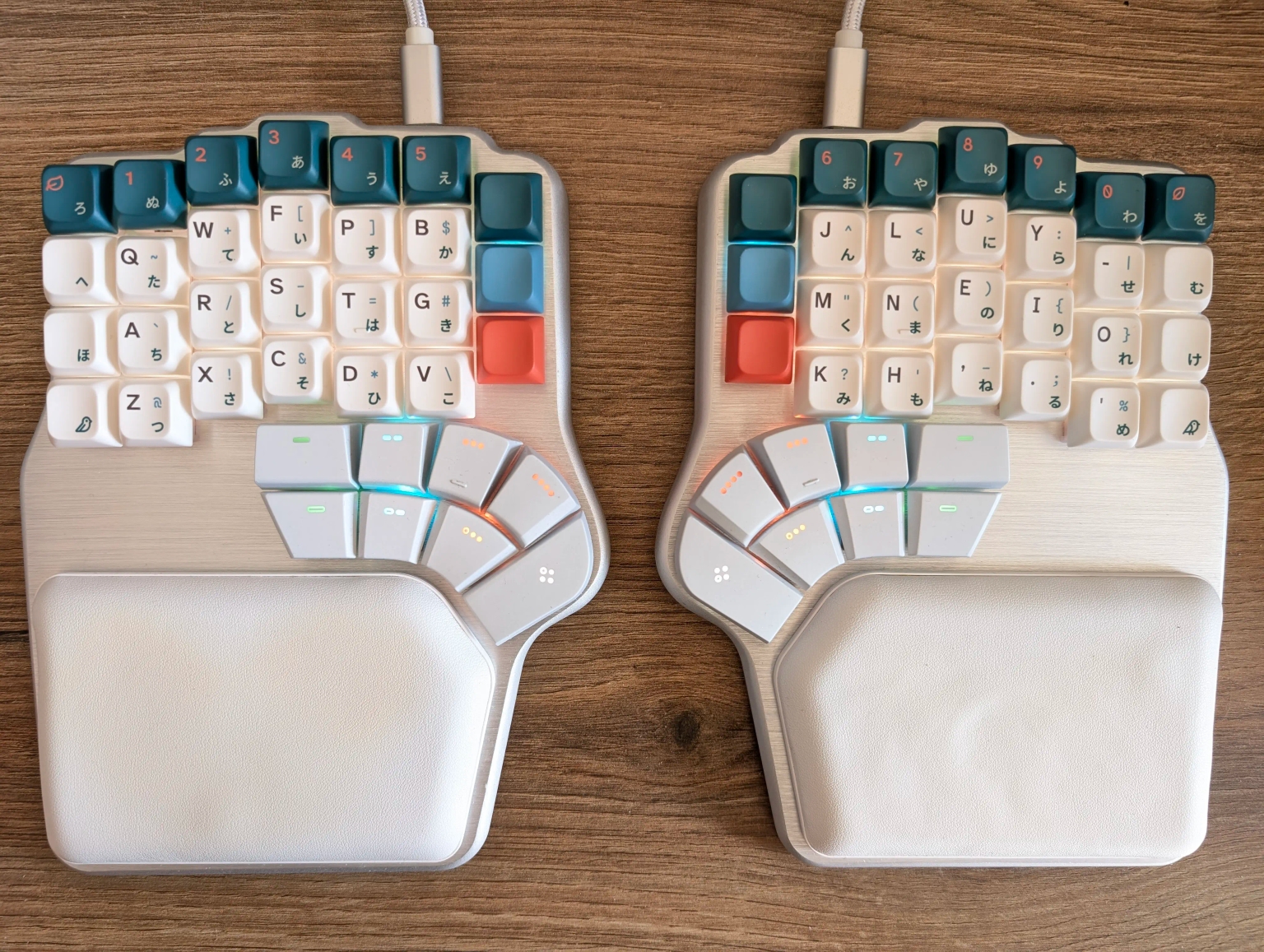
In the daily life of a developer the keyboard is glued to ones hands and as I have a big focus on ergonomics, my keyboard is kind of special. Some years ago I was still using a standard mechanical keyboard with the German QWERTZ layout and Cherry MX Brown switches. It was nice for gaming and through it I found out I prefer tactile switches (has a bump feeling that helps to recognize the actuation, but normally doesn't have a clicky sound), but it started to wear, it was quite loud and I could feel that it forced me into a bad position. Therefore, in 2023 I was sucked into the black hole of ergonomic split keyboards and alternative key layouts. I was lucky to find many available options, some more portable, some more ergonomic, some more simple. In the end I decided to configure and buy a Dygma Defy as it checked most of my boxes and I liked how active their Youtube and Discord were (and still are, I really appreciate it). Although quite expensive, I saw it as an investment into my health and in the end your health should always come first.
To make it more interesting I also switched from QWERTZ to QWERTY keys and then tried to learn Colemak DHM. This and the need for layers caused me to take a step back and just use QWERTY with a couple simple other layers.
TODO: add inspirational layers
Now in 2026 I still do not regret the purchase. Even if some wear happened and I would wish for attachments like a tracking ball, it is well build and comfortable. The original Kailh BOX Silent Brown switches were nice at the start but developed a loud spring / clicky noise, so I switched them out with Outemu Kitty Silent Tactile switches. They are extremely quiet and easy to press, so I had to adapt some time to not make mistakes. The easiness but also the smoothness put less strain on my fingers, so this was a success!
For even more comfort I started again to learn Colemak DHM, this time using Colemak Academy which I highly recommend! Just training once a day and when it gets easy, trying the next level was enough. So after some weeks I could completely type with it with all fingers (I'm still slow, but I don't mind it). To really force me and also to help if I forget the placement, I ordered custom keycaps on Yuzu Keycaps (here is my creation). I chose PBS ones, which have a small height, are uniform, Cherry compatible and invented by them. The thumb keys are not available and the white is more yellow on the Yuzu ones but that is not bothering me. They whole process of designing them to purchasing and using them was a joy. They are of high quality and if you need inspiration, just have a look at their Discord server.
This is it for now:
TODO: add more about the layers